Blog
Balanced binary tree animated
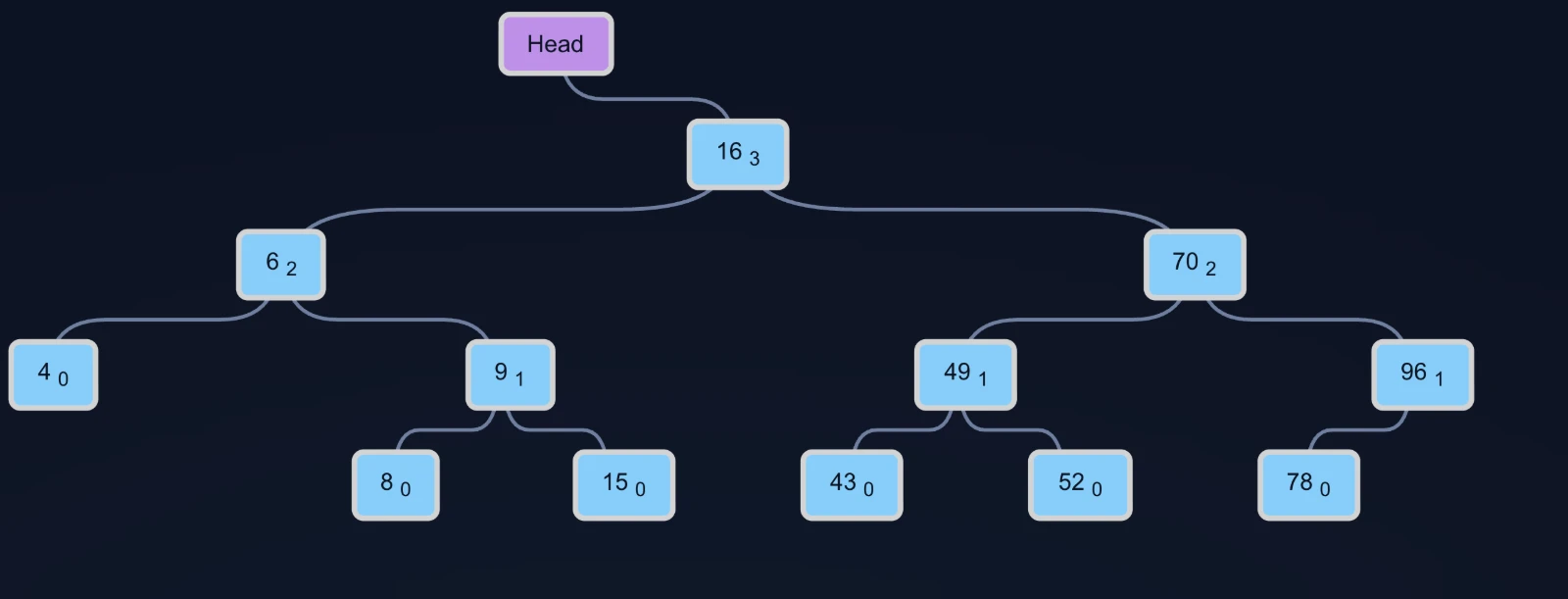
The balanced binary tree is an exremely useful data structure which promises excellent insert, find and delete performance guarantees. The key to this performance is the balancing property which makes sure that the tree does not get too lopsided (leading to bad performance) - and the key to balancing the tree are the rotation operations. The animation below gives a visual demonstration of insertions, rotations, and tree balancing at work.
There are a few slightly different varieties of a balanced tree… we use an AVL tree for this particular example.
The number in the subscript is the height of a node (its distance from its deepest descendent leaf). The tree uses the height detail to balance itself. Essentially, balancing in the tree is achieved by making sure that for each node, the heights of its child nodes do not differ by more than one. If they do, the tree performs rotations to lower this difference. The animation shows some typical rotations as the tree balances itself. If you look closely, you might notice that some insertions end up requiring 2 rotations for balancing the tree.
Using the input data field, you can try your own numbers to see how items are inserted into the tree. Enter your custom values (comma separated), and hit enter to restart the animation with the new data.
The animation runs on its own, but the controls under the input let you take it at your own pace: pause it, step forward or back one move at a time, or start the whole run over. Stepping back is genuinely useful on the rotations, which are over quickly at full speed — walk into one and out of it again and it is much easier to see which node ended up where.
The original 2020 implementation of this animation can be found here. Kindly request permission before using / copying.
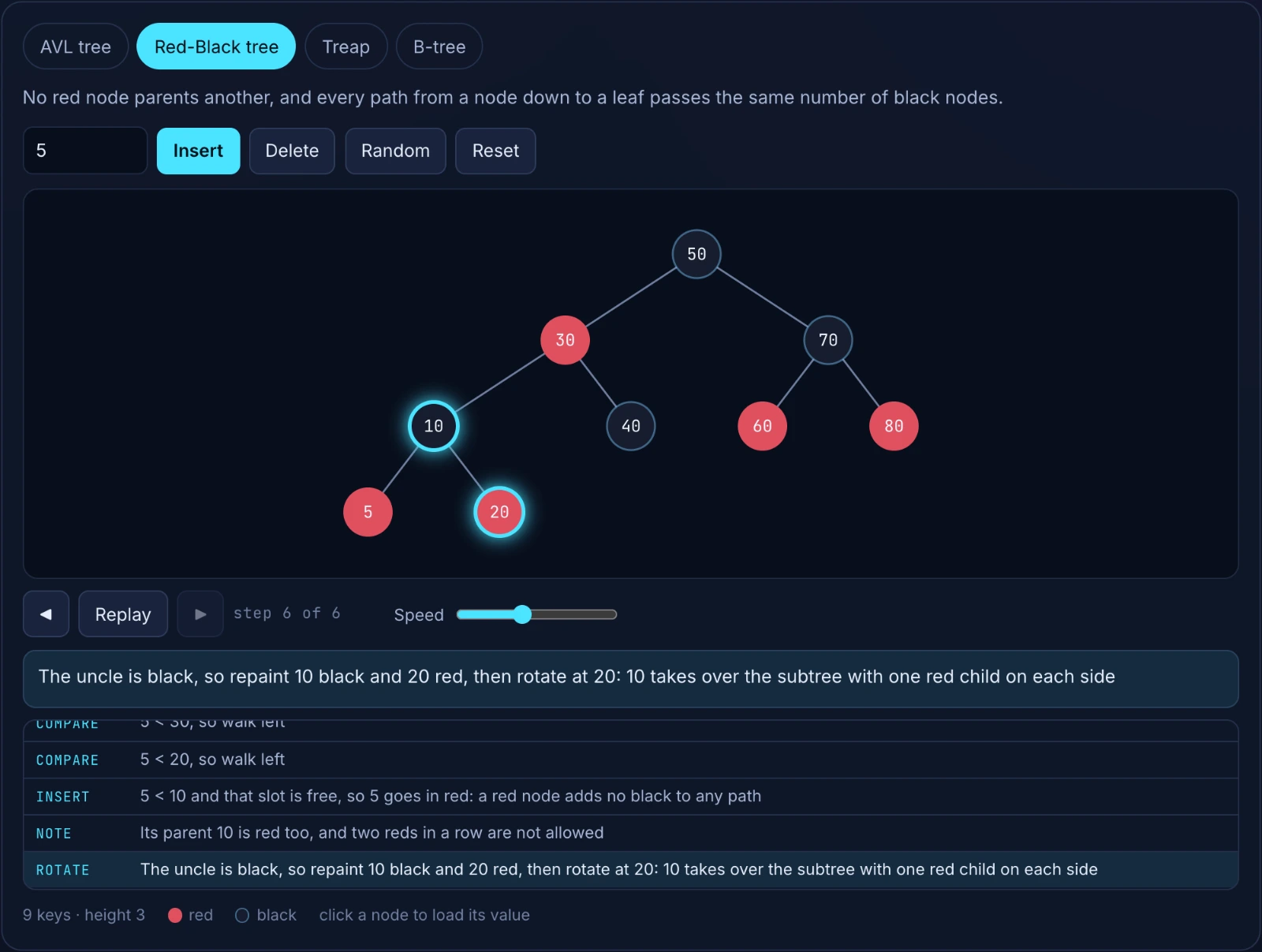
If you want to drive the tree yourself rather than watch it build, four ways to keep a tree balanced has a simulator where you insert and delete values by hand, and it does the same for Red-Black trees, B-trees and treaps alongside AVL.

Comments